使用Azure Agent
使用 Microsoft Foundry
配置一个agent
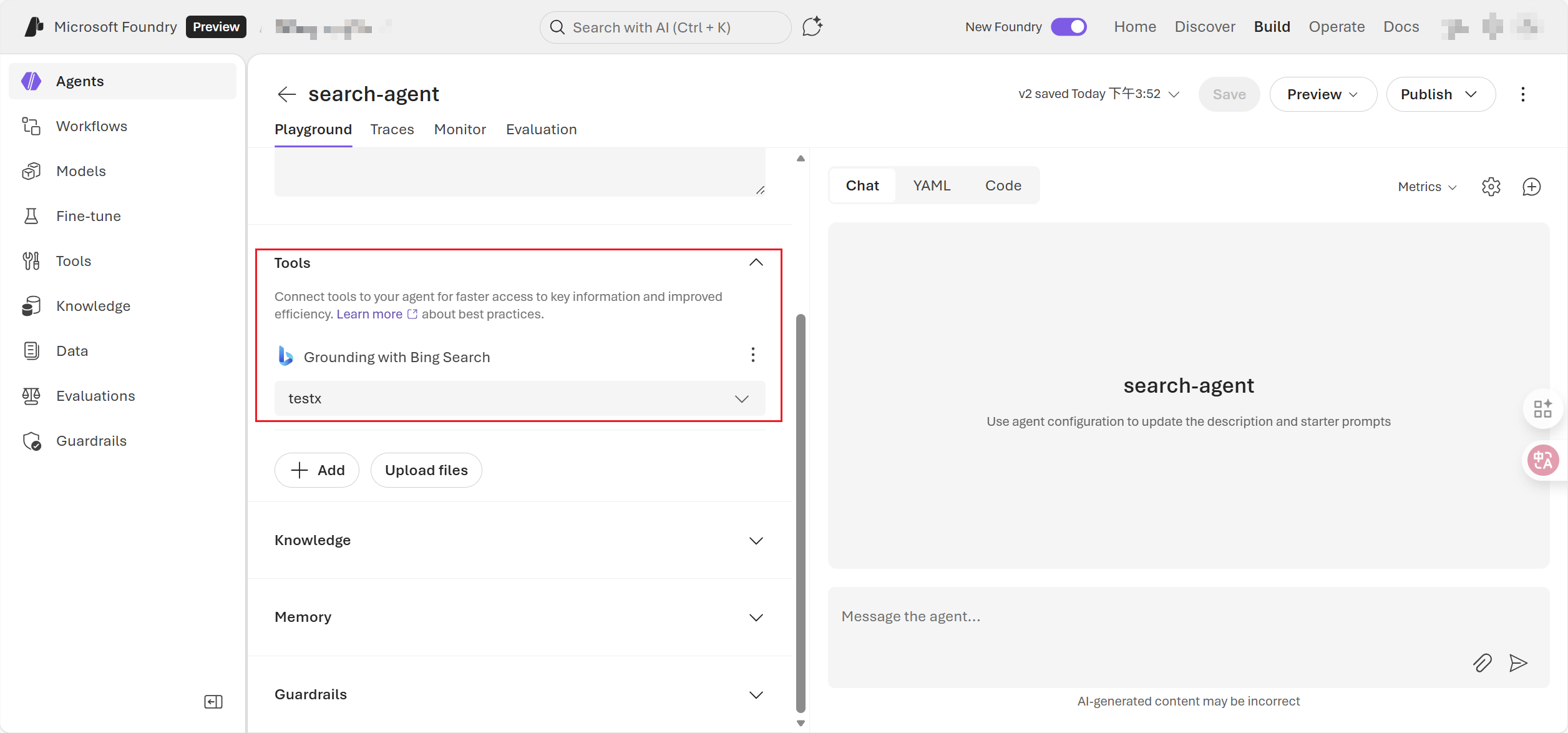
配置 Agent Tools
配置 knowledge ,tools
比如 Bin Search
这样agent就能联网搜索并挂载知识库
python调用
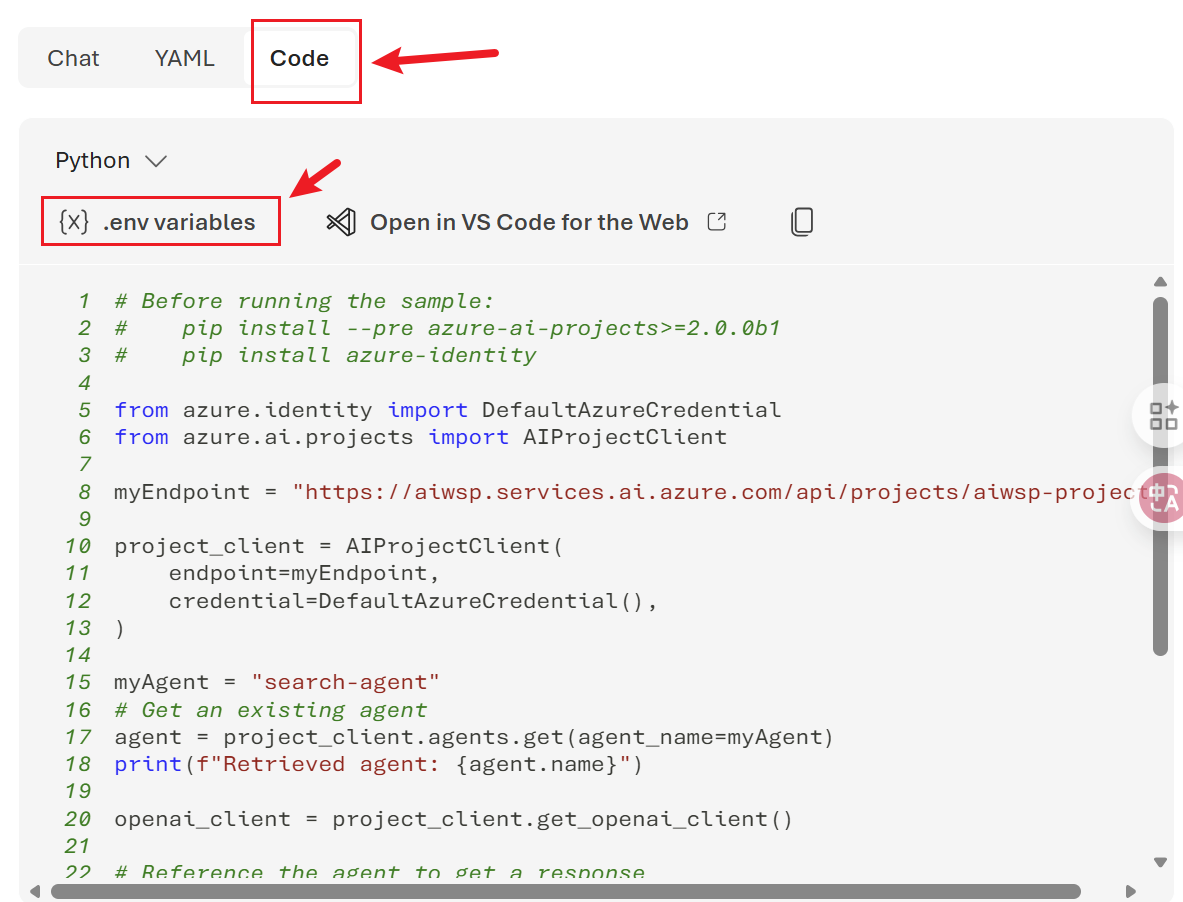
# Before running the sample:
#    pip install --pre azure-ai-projects>=2.0.0b1
#    pip install azure-identity

from azure.identity import DefaultAzureCredential
from azure.ai.projects import AIProjectClient
from azure.identity import AzureCliCredential
from dotenv import load_dotenv

import time
from pathlib import Path

load_dotenv(dotenv_path=".env")
myEndpoint = "https://aiwsp.services.ai.azure.com/api/projects/aiwsp-project"

project_client = AIProjectClient(
    endpoint=myEndpoint,
    # credential=DefaultAzureCredential(),
    credential=AzureCliCredential(),
)

myAgent = "search-agent"
# Get an existing agent
agent = project_client.agents.get(agent_name=myAgent)
print(f"Retrieved agent: {agent.name}")

openai_client = project_client.get_openai_client()

# Reference the agent to get a response
response = openai_client.responses.create(
    input=[{"role": "user", "content": "我想查询一下'多益网络'公司的负面消息,给我列一下并附带上消息来源【具体的URL】。"}],
    extra_body={"agent": {"name": agent.name, "type": "agent_reference"}},
)

print(f"Response output: {response.output_text}")

# 保存结果到 tmp 目录,文件名为年月日时分秒.txt
tmp_dir = Path('tmp')
filename = time.strftime('%Y年%m月%d日%H-%M-%S', time.localtime()) + '.md'
file_path = tmp_dir / filename

with open(file_path, 'w', encoding='utf-8') as f:
    f.write(response.output_text)

print(f"结果已保存到: {file_path}")